
A free calorie counter app is a lifesaver if you do not want to pay a monthly fee just to log a meal. But the word "free" lies on three different levels, and most people only notice after they have handed over two weeks of data.
Before you install one more app or open your tenth tracking site, it helps to understand what each model actually delivers and what it charges in disguise. This guide separates the real gift from the catch that shows up on day three.
Why so many calorie counters are free (and who foots the bill)
Almost every free online counter has a revenue model behind it. Most people install without asking. What pays for "free" is usually one of these four gears, and each one charges the user in a different currency.
- Ads inside the app. You pay in attention and a few seconds of waiting on a banner. It works, but the friction goes up.
- Freemium with a paywall after day 7. Signing up is free, useful logging needs a subscription. You find out once you already have a routine going.
- Selling anonymized data. The eating habits of millions of users are worth a lot to the food industry and to research labs.
- A marketing funnel. The free version exists to generate qualified leads for another product from the same brand, like coaching, a marketplace, or a supplement.
None of these models is wrong on its own. The point is that "free" rarely means "no cost." Knowing which currency you are paying helps you choose within your own limit.
The 4 types of free calorie counter app
The market has options of very mixed quality. To choose well, it helps to know the category before the specific brand.
| Type | How it works | Hidden cost | Best for |
|---|---|---|---|
| Simple site, no signup | You type a food and grams, it returns kcal. Lives in a browser tab. | Low. Limited database, no history. | A one-off calculation for a recipe or single meal. |
| International freemium app | Signup, huge database, barcode. Limits after a few days. | Paywall on basic features like macros or export. | People who already track and want a broad database. |
| AI photo app | Photo recognition, fast logging in seconds. | Usually a free plan with a daily photo quota. | People tired of typing who want to log on their phone fast. |
| Public spreadsheet (Sheets or Excel) | Lists food headers, sums macros automatically. | Manual upkeep. The database goes stale in months. | People who like controlling the base and hate ads. |
The best counter is usually the one you open without complaining every day. Technical performance and logging friction matter as much as database accuracy. For a comparison of popular options, see the calorie counting apps guide.
ContaCal
Count calories and macros with just 1 photo
Snap your meal and the AI instantly calculates calories, protein, carbs and fat.
What a good counter should deliver before charging
There is a minimum set of features that separates a useful counter from a glorified online form. If the free version does not cover the basics below, the "free" is just a demo.
- A daily target from BMR and TDEE. Without it, you log meals with no idea what balance you are measuring against. See how the target is set in the calorie calculator guide.
- A real food database. The everyday foods you eat have to show up in the first few searches, with values that make sense.
- An automatic daily total. Isolated meals say nothing. The daily balance is the only useful metric for closing a diet.
- At least 7 days of history. A weekly trend is worth more than one good day. Seven days is the floor to see a pattern.
- Data export. You need to be able to leave with your history. An app that locks your data holds you hostage in 6 months.
If a free counter does not deliver those five, it is probably a storefront for the paid version. There is nothing wrong with paying, but you want to know before you build the habit.
Catches that only show up after the second week
Almost all tracking abandonment happens between day eight and day twenty. It is not a lack of discipline. It is the sum of small frictions that turn into a wall.
A database polluted by users. Many free counters let users add new items. In 3 months you find 17 entries for "white rice" with values from 110 to 240 kcal per 100 g. Without curation, the database turns to noise.
Notifications selling the upgrade. The app starts quiet. After the first week, it becomes a daily "try premium" bulletin. The mental friction taxes your consistency.
Syncing that fails without warning. You log on your phone. It does not reach the server. At the end of the month you find you lost 8 days. Anyone on a free counter should check syncing weekly.
A privacy policy that changes along the way. The free version often updates its terms without notice. Someone who logs meals for years hands over a very specific food profile. It is worth reading what the app can do with that before you sign up.
How to choose a free counter that fits your case
There is no universal counter. There is the one that fits your routine and the one that does not. Three simple questions filter almost everything:
- How many meals a day are you willing to log? If the answer is 1 or 2, any simple site works. If it is 4 to 6, you need an app that logs fast. That is where a photo beats a form.
- How many times a week do you eat out? More than 3, prioritize a counter with a broad restaurant database or photo recognition. Manually entering a restaurant plate does not work.
- Do you only want to close the balance, or also see macros? If you only want to close calories, a basic counter works. If you chase a protein target, you need a version that shows detailed macros, usually paid.
To understand why the daily balance is the only metric that really matters, read the calorie deficit guide. For tracking without an app, the how to count calories guide works as backup, and research from the Harvard T.H. Chan School of Public Health ties consistent self-monitoring to better results.
ContaCal: a free counter that starts with a photo, not a form
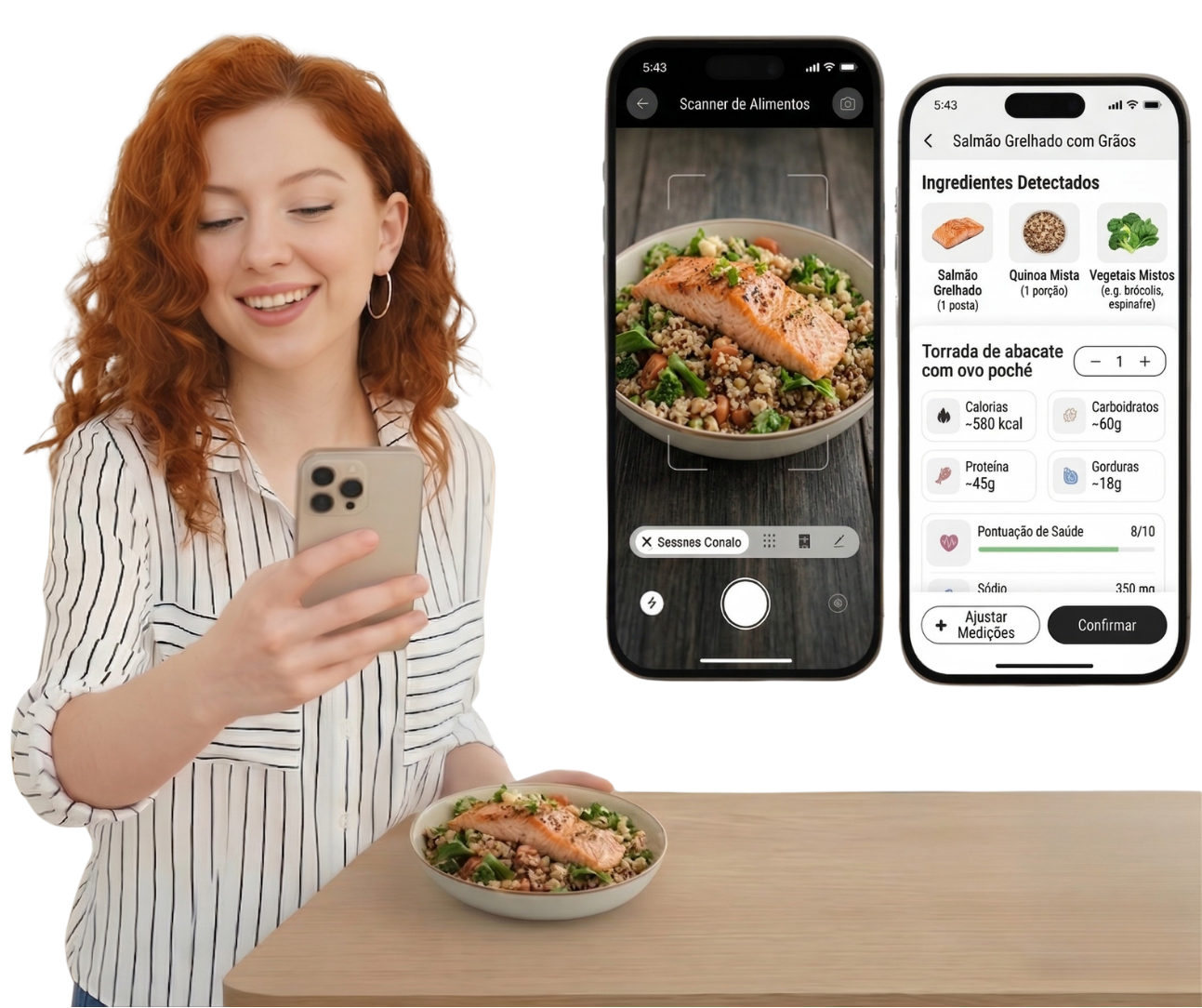
ContaCal is the photo calorie counter app, with a free plan that skips the form before your first log. You open it, photograph the plate, and get estimated calories and macros in a few seconds.
The free model covers the typical use of someone starting out: a daily photo quota enough for 3 to 5 meals, the daily total, weekly history, and a daily target based on BMR and TDEE. The paid version opens a bigger quota, advanced export, and monthly reports.
What sets it apart is not the "free" itself. It is the entry friction. People who start with the camera tend to log more meals a day than those who start with a text search, because opening and photographing weighs less than typing item by item. More logs a day means a more honest history at the end of the week.