
Anual
R$ 9,90/mês
Economize 67%
12x sem juros no cartão, ou R$ 118,80 à vista no PIX.
Sem buscar alimento em lista, sem digitar porção. Manda a foto no app ou no WhatsApp e veja na hora quanto ainda dá pra comer hoje.
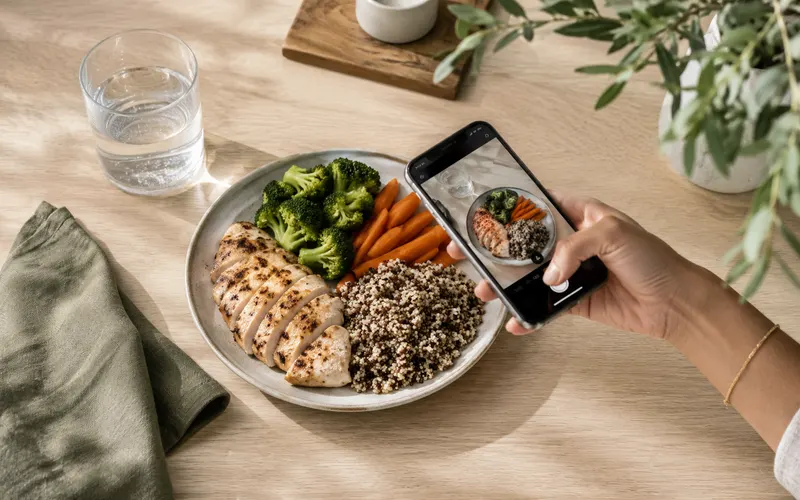
Frango grelhado, brócolis, cenoura e quinoa
54g
Proteína
37g
Carbo
12g
Gordura
Sem tabela, sem digitar. Você manda a foto, o ContaCal conta as calorias.
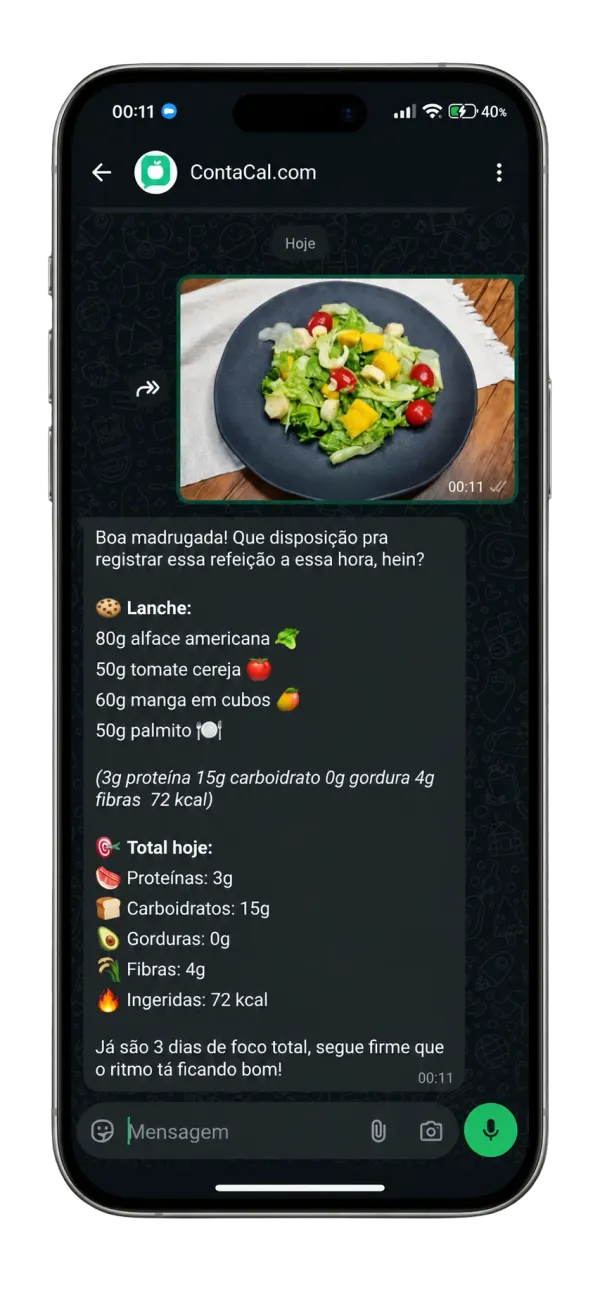
Foto, texto ou áudio da sua refeição direto no WhatsApp oficial do ContaCal. Sem instalar nada novo, você já tem o app.
Análise por foto, banco de alimentos brasileiros, macros e progresso, tudo no mesmo lugar.
Tire uma foto e receba a análise nutricional completa em segundos. O ContaCal reconhece alimentos brasileiros, pratos regionais, marmita e comida de restaurante.
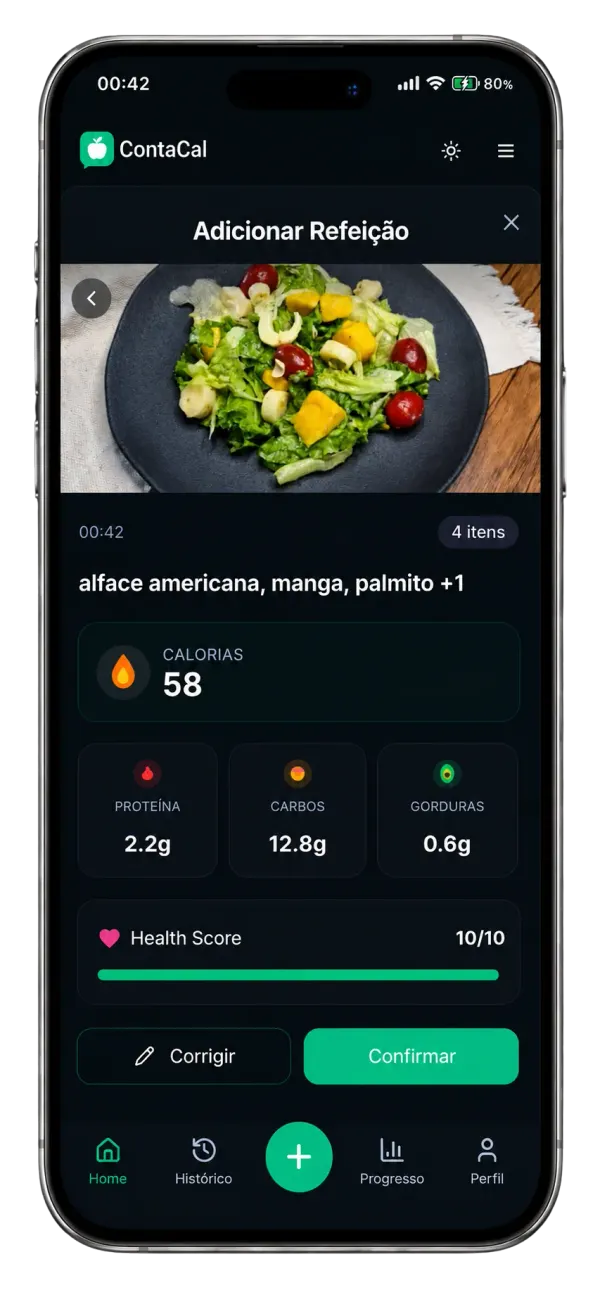
600+
Alimentos
3s
Análise
Pratos regionais, marmita, comida de restaurante e produtos industrializados com ficha nutricional completa. Dá para consultar alimento por alimento antes de registrar.
Receba insights personalizados sobre seus hábitos alimentares e sugestões para melhorar sua dieta com base nos seus objetivos.
Aumente a proteína no café da manhã
Meta de fibras atingida hoje!
Acompanhe sua hidratação e atividades físicas em um só lugar. Lembretes inteligentes para beber água e se exercitar.
No número oficial do ContaCal você manda como for mais fácil, e tudo aparece no app em tempo real.
Mandou a foto, tá registrado
A IA identifica os alimentos, porções e macros automaticamente.
Texto ou áudio também
Sem tempo de tirar foto? Escreve ou manda um áudio que o ContaCal entende.
Resposta na hora
Calorias e macros de volta em segundos, com seu total do dia.
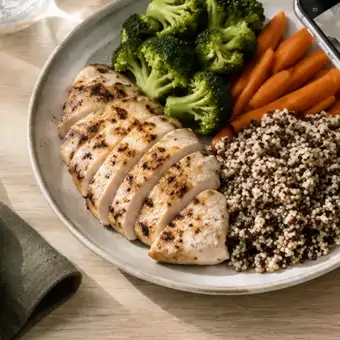
Prato analisado!
Frango grelhado, quinoa, brócolis e cenoura.
Anotei: 1 pão de queijo e um café com leite. 218 kcal, já entraram no seu dia.
quanto falta pra minha meta hoje?
Você ainda tem 370 kcal 💪
Não é falta de força de vontade. É que o registro manual cobra caro todo santo dia. O ContaCal tira esse custo da sua frente.
Registrar um prato levava de 2 a 5 minutos, alimento por alimento, porção por porção.
Você manda a foto e o registro fecha em segundos.
O app não tinha PF, marmita nem feijoada — e o que tinha vinha com dez valores diferentes.
A IA lê o prato brasileiro como ele é, incluindo comida de restaurante e delivery.
Você pulava o registro do doce, do fim de semana, do que dava culpa. O diário ficava com buraco.
Registra no WhatsApp em 5 segundos, sem sermão, e o painel mostra quanto falta pra fechar o dia.
Anúncio antes de cada registro e paywall no meio do caminho.
Zero anúncio. E o cancelamento é em 1 clique dentro do app.

Contar caloria não precisa virar um segundo emprego. A ideia é caber na correria do dia: você registra em segundos, no meio do que já está fazendo, e segue a vida. O que sustenta qualquer objetivo é conseguir manter o registro, e é justamente aí que a maioria das pessoas desiste.
Acompanhe as fases em tempo real: queima de gordura, cetose e autofagia. Com timer visual e histórico completo.
Duelos nutricionais de 7 dias, com placar, badges e mensagens na arena do desafio.
Dias seguidos de registro e badges. Sua chama muda de cor conforme a sequência cresce.
Recomendações personalizadas que aprendem com seus hábitos.
Gráficos de peso, relatórios semanais e análise de tendências.
Acompanhe a água do dia com lembretes inteligentes.
Opções saudáveis com macros já calculados.
Gerada automática das receitas, organizada por categoria.
A conta muda com peso, altura, idade e objetivo. Descubra a sua em menos de um minuto, de graça.
Não existe número único. Sua meta diária depende do seu peso, altura, idade, sexo e nível de atividade. A calculadora de calorias do ContaCal faz essa conta de graça e sem cadastro, com a fórmula Mifflin-St Jeor, e devolve sua meta diária de calorias e de macros. Depois é só registrar as refeições: o ContaCal soma tudo e mostra quanto falta para fechar o dia.
Se o seu objetivo é emagrecer, a calculadora de déficit calórico mostra o ajuste sobre esse número. Se você já divide proteína, carboidrato e gordura, vá direto para a calculadora de macros. E para consultar alimento por alimento, use a tabela de calorias dos alimentos.
A calculadora é um contador de calorias grátis e continua aberta para qualquer pessoa. O que é pago é o registro automático das refeições por foto, texto ou áudio.
A conta é uma estimativa e nunca sugere um valor abaixo do seu gasto em repouso. Para condições de saúde ou dieta clínica, fale com um nutricionista ou médico.
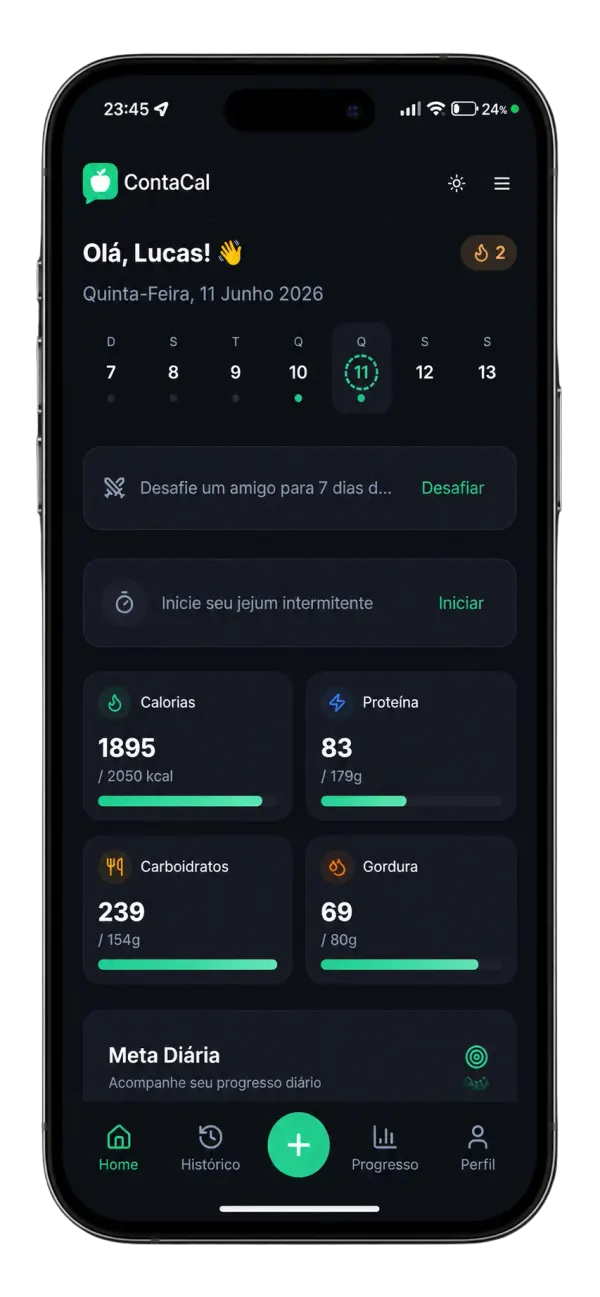
Interface limpa e confortável para uso noturno. Confira as metas e feche o painel sem levar aquele flash na cara.
Veja o que pessoas reais estão dizendo sobre o ContaCal
"O contador de calorias por foto é muito prático, registro minhas refeições em segundos."

Mariana Costa
São Paulo
"Eu sempre esquecia de anotar o que comia, mas com o ContaCal ficou fácil. É só mandar uma foto e ele calcula tudo!"

Rafael Lima
Rio de Janeiro
"Nunca consegui manter uma dieta até conhecer o ContaCal. Acompanhar minhas macros ficou super simples!"

Juliana Cardoso
Florianópolis
"A IA é impressionante! Reconhece até comida de restaurante e separa os ingredientes do prato."

Pedro Henrique
Belo Horizonte
"Uso todos os dias. Os gráficos de progresso me motivam muito a continuar na dieta."

Ana Beatriz
Curitiba
"O melhor app de nutrição que já usei. Simples, bonito e muito preciso nas calorias."

Carlos Eduardo
Brasília
Relatos de usuários. Resultados individuais variam.
4.9/5
Mais de 1.000 avaliações 5 estrelas
R$ 9,90/mês
12x sem juros no cartão, ou R$ 118,80 à vista no PIX.
R$ 14,90no 1º mês
Depois, R$ 29,90 por mês.
Cartão ou PIX · Pagamento seguro · Cancele pelo próprio app
Se não curtir, você cancela em 1 clique dentro do próprio app e o reembolso é automático. Sem ligar pra ninguém, sem mandar e-mail, sem te enrolarem pra ficar. O risco é todo nosso.
Se não for pra você, cancela em 1 clique nos primeiros 7 dias e o reembolso é automático.
Sem compromisso. Cancele quando quiser.